
As we all know, it’s not simple to train international teams, let’s face it. It can be overwhelming even for the most experienced L&D leaders to switch between multiple time zones, languages, and cultures. But what if there were a solution that could streamline this process, making training truly accessible for everyone? Vidnoz AI is doing exactly that. By leveraging advanced AI technology, it allows businesses can create multi-language video training effortlessly. If you want to know everything about Vidnoz AI and how it is revolutionizing training globally, then you’ve come to the right place.
Introducing Vidnoz AI
If you’re looking for a tool that lets you create multilingual content in seconds, Vidnoz AI is the best option. It is one of the top AI Video Generators that supports over 140+ languages, including English, Chinese, Japanese, French, German, Turkish, and more. Beyond simple translation, Vidnoz AI’s Text-to-Video feature enables the creation of high-quality, professional training videos, marketing materials, and educational content, making it effortless to reach and engage a global audience. The standout feature of Vidnoz AI is its ISO/IEC 27001:2022 certification, which ensures a safe and secure video creation process. In addition, Vidnoz AI offers an intuitive interface that requires no prior technical expertise, allowing teams to generate videos in minutes.
How Vidnoz AI Simplifies Multi-Language Video Training
Vidnoz AI offers amazing capabilities and features, making multi-language video training seamless. Here are the top features of this program that simplify multi-language video training:
- Customizable Video Templates
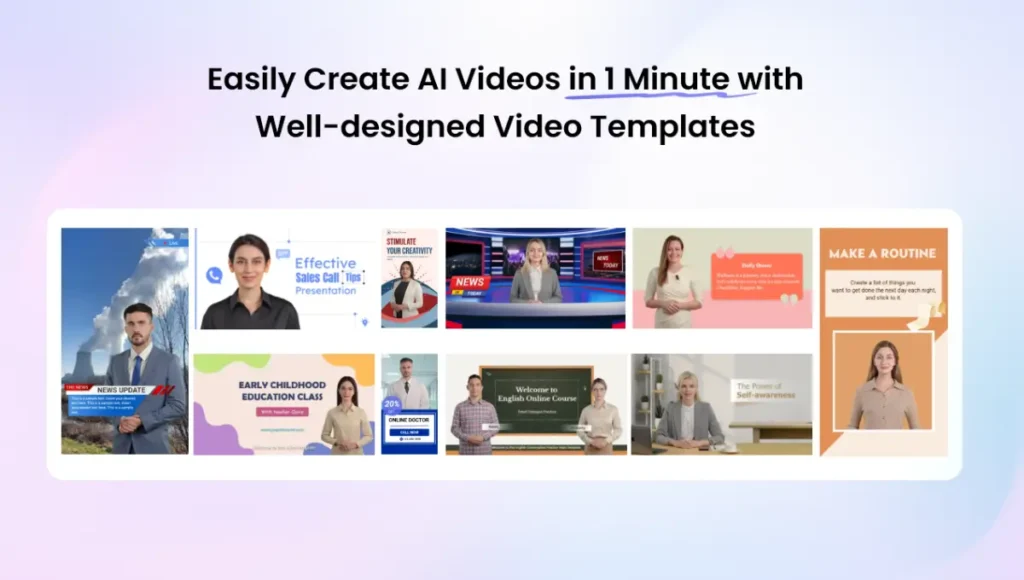
Vidnoz AI offers 2800+ video templates, allowing users to create various types of videos in seconds, including how-to guides, tutorials, ads, marketing videos, and more. The pre-existing subtitles, transitions, and effects can be automatically applied, which eliminates the need for manual editing.
- Multi-Language AI Voices
The program includes 2000+ AI voices in 140+ languages, such as English, Chinese, Japanese, Spanish, French, German, and more. All the voices available on this program are powered by ElevenLabs, Google, and Microsoft. Vidnoz AI offers voices of celebrities, politicians, anime, cartoon characters, singers, and more.
- Lifelike Avatars
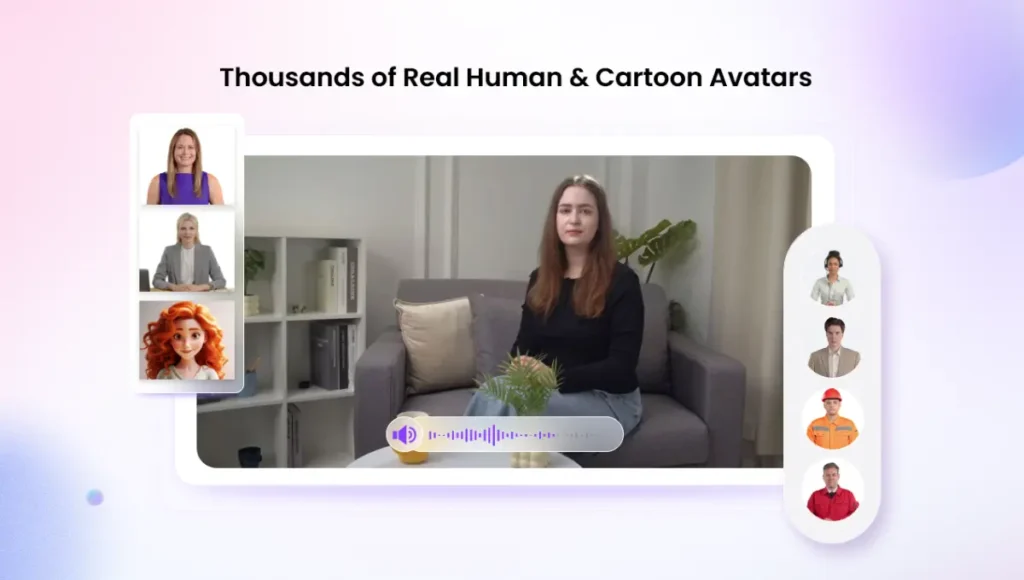
No real actors required! With Vidnoz AI 1900+ AI avatars, you don’t need to hire any professional talent. These avatars are fully capable of delivering natural speech, facial expressions, and gestures. Further, Avatar Lite enables users to create a digital twin in 40+ languages, and Avatar Pro provides deeper customization options
- AI Video Wizard
The best part of Vidnoz AI is that it allows users to create high-quality training videos with a simple text prompt or any source material. Simply, enter your video script, choose AI voice, templates, and avatar, and click on the “Generate” button.
- Free Version
Vidnoz AI also offers a free version, which enables users to create high-quality videos without spending a single penny. The free version of Vidnoz AI provides 60 credits(2 minutes) for daily use and includes powerful features like Avatar Lite, an Online Video Editor, an AI Voice Changer, an AI Headshot Generator, and more.
How to Easily Produce Multi-Language Training Videos with Vidnoz AI?
Vidnoz AI offers an intuitive interface, allowing users to produce professional-looking training videos in multiple languages with ease. Here is how to do it
- Open your web browser and navigate to the Vidnoz AI official site. Click on the “ Create Video Now Free” button and sign in with your account. Choose the Video Template and AI Avatar.
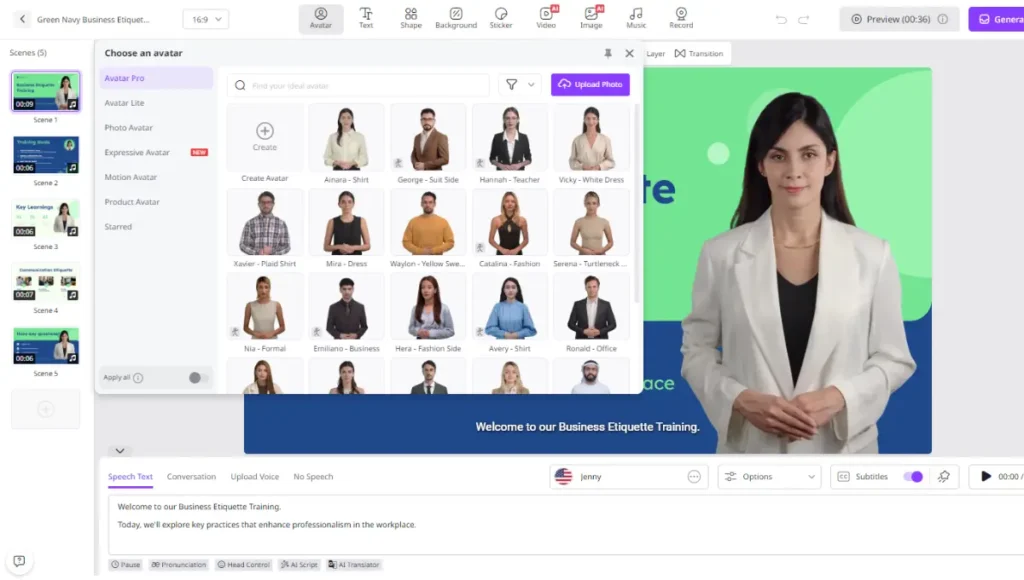
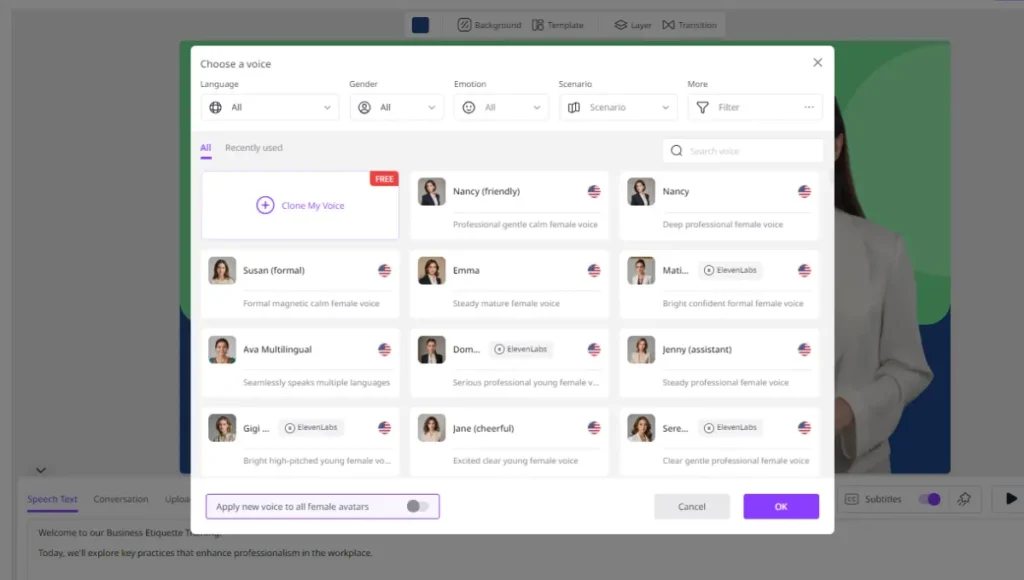
- Scroll down and enter your video script. Once done, select the AI voice and language. Users can choose from over 140 options, including English, Chinese, French, and more
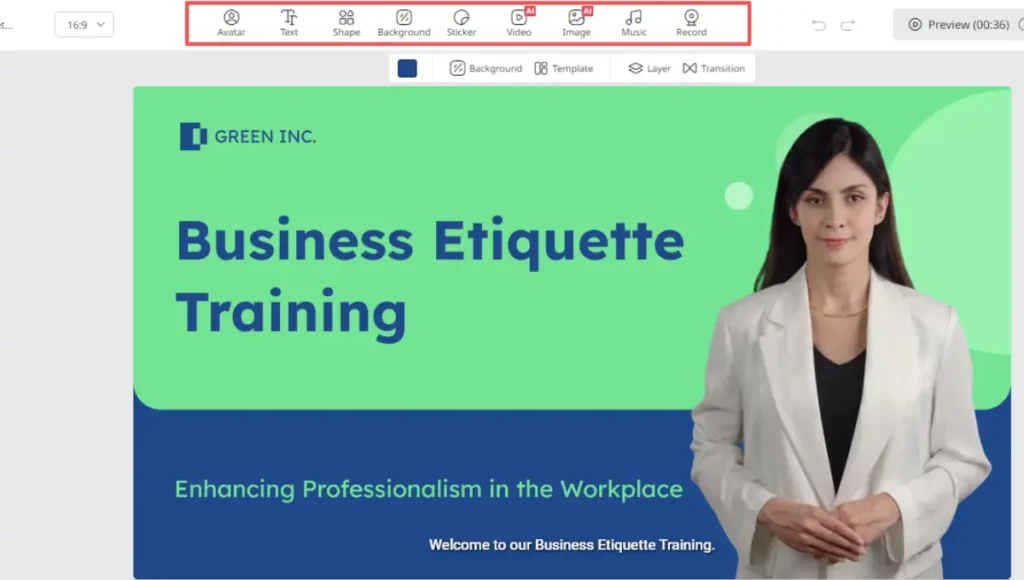
- Now, use the Online Video Editor to customize training videos according to your requirements. It enables users to change the background, add music, insert text, and more.
- In the end, click on the “Generate” button to begin the video creation process. Within seconds, your video will be ready. Preview and download it in popular video formats, including MP4.
FAQs Related to Vidnoz AI
- What types of videos can users create with Vidnoz AI?
With Vidnoz AI, users can generate various types of videos, including training, how-to guides, tutorials, educational videos, and more.
- How long does it take to create multilingual training?
Vidnoz AI enables users to create multilingual training videos in minutes. The platforms’ AI avatars, templates, and voices allow you to produce fully localized content faster than ever.
Conclusion
Vidnoz AI is the best tool to create videos in multiple languages quickly and efficiently. With its powerful AI features avatars, text-to-video, automated translation, and secure workflows it simplifies global content creation. For any business seeking accessible, scalable, and inclusive learning solutions, Vidnoz AI delivers outstanding results.