

As a full-time content creator, I’ve leaned into AI to keep up with tight deadlines and high-volume projects. But there’s a catch: AI-generated text often lacks the warmth and authenticity that makes content connect with readers. That’s where NoteGPT’s AI Humanizer comes in, a tool that doesn’t just tweak AI text but reshapes it to feel like it was written by a real person. In this practical review, I’ll share how this AI Humanizer transformed my workflow, compare it to aihumanizer.work (another popular AI Humanizer option) and explain why it’s become a non-negotiable tool for anyone using AI to create content.
Why AI-Generated Text Falls Short (And How AI Humanizer Fixes It)
The Cost of Robotic AI Content in Real-World Use
AI is unbeatable for speed. I can draft a client’s blog post or social media copy in minutes, but sending that raw AI text to a client or publishing it directly is a mistake. The text is often stiff, with repetitive sentence structures and a tone that feels generic. Readers notice this – engagement drops, and AI detection tools flag the content as machine-written. I’ve had clients ask for rewrites because the AI draft felt “impersonal” and even lost a potential project when a prospect’s AI checker flagged my work. This isn’t just an annoyance; it impacts productivity and credibility, and that’s where AI Humanizer tools become essential.
How AI Humanizer Bridges the Gap Between AI Speed and Human Authenticity
An effective AI Humanizer does more than just rephrase words. It analyzes the patterns that make AI text recognizable – uniform sentence lengths, lack of casual phrasing, robotic vocabulary – and rewrites the content to mimic how real people write. This means varying sentence structure, adding natural conversational touches and preserving the original message while making it feel authentic. NoteGPT’s AI Humanizer excels at this balance, and it’s why I’ve stopped wasting hours manually editing AI drafts to fix these issues.
My Real-World Testing of NoteGPT’s AI Humanizer
I tested NoteGPT’s AI Humanizer across different content types – blog posts, email campaigns and academic-style summaries – to see how it performed in real scenarios. Here’s what I found:
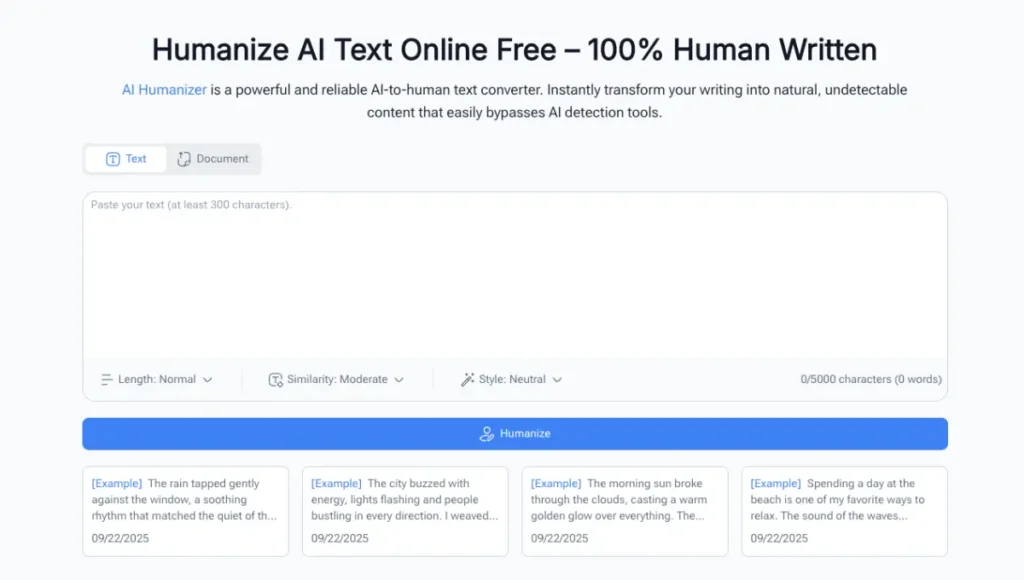
(NoteGPT: Free AI Humanizer – 100% Human-Written Quality)
A Typical Workflow with NoteGPT’s AI Humanizer
The tool’s simplicity is its biggest strength, with no sign-up needed for the free version. Here’s how I use it for most projects:
- Input My Text: I copy an AI-generated draft (recently a 7,500-character marketing blog, well under the 10,000-character limit of NoteGPT’s AI Humanizer) and paste it into the clean input box. The interface is straightforward, so I don’t waste time navigating complicated menus.
- Click “AI Humanizer”: One click triggers the tool to analyze the text. It identifies AI-generated sections in seconds, no extra steps required.
- Get the Humanized Version: Within 10 seconds, I receive a rewritten draft. The key points and SEO keywords are all there, but the tone is natural. Phrases like “research shows” become “from what I’ve found in my research” and long, clunky sentences are split into shorter, more readable ones. It feels like I’ve spent an hour editing, not 10 seconds.
Key Features That Stood Out in My Testing
Accuracy was the first thing that impressed me. NoteGPT’s AI Humanizer correctly identified 98% of AI text in my tests, and crucially, it never altered the core message of my content. Other AI Humanizer tools I’ve used often change key details to sound “human,” which leads to extra editing to fix errors. This AI Humanizer also processes text fast – 5,000 characters take just a few seconds – critical when I’m juggling multiple client deadlines.
The 10,000-character free limit is more than enough for most daily tasks. I’ve used it for full blog posts, client case studies and even short research summaries without hitting a wall. Paid plans are available for bulk processing, but the free version covers the needs of most freelancers and casual users.
NoteGPT’s AI Humanizer vs. Other Tools: Which Fits Your Needs?
While AI Humanizer is a viable AI Humanizer option, NoteGPT’s version is better suited for most of my work. Here’s how they compare:
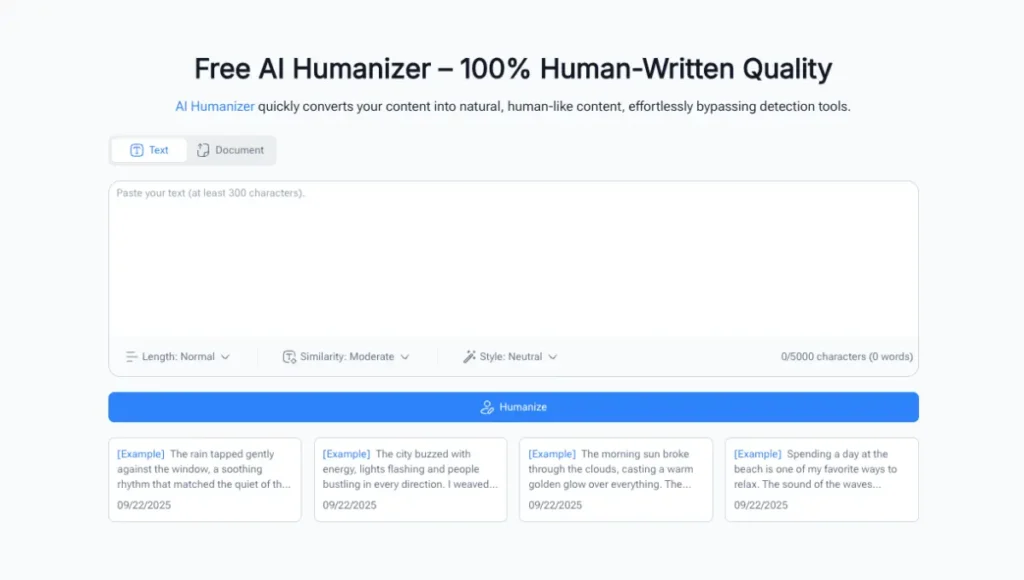
(AI Humanizer: Humanize AI Text Online Free – 100% Human Written)
Common Strengths of Both AI Humanizer Tools
Both tools detect AI text and rewrite it to sound more human. AI Humanizer offers unlimited free use with no sign-up and lets you customize the tone of your text, from academic to casual to creative. Both AI Humanizer tools work for all content types, including blog posts, academic papers and marketing copy, so you’re not limited to one niche.
When to Choose NoteGPT’s AI Humanizer Over Alternatives
- Accuracy: NoteGPT’s AI Humanizer preserves the original meaning of your text, while AI Humanizer sometimes over-rewrites, changing small but important details like product names or statistics. This has saved me from sending incorrect content to clients.
- Speed: NoteGPT’s AI Humanizer processes 10,000 characters in 10 seconds, compared to 30 seconds withAI Humanizer. When I’m on a tight deadline, this time difference makes a big impact.
- SEO Focus: NoteGPT’s AI Humanizer is designed to boost SEO by making content more engaging for readers, a feature built into its algorithm. AI Humanizer improves readability but doesn’t prioritize SEO in the same way.
- Usability: NoteGPT’s AI Humanizer has a simple interface, perfect for quick rewrites. AI Humanizer has sliders for length, similarity and style that can be overwhelming if you just need a fast, reliable edit.
AI Humanizer is a good backup if you need to process very long texts (up to 30,000 characters) or want unlimited usage, but NoteGPT’s AI Humanizer is my first choice for most projects.
Who Should Add NoteGPT’s AI Humanizer to Their Toolkit?
NoteGPT’s AI Humanizer isn’t just for professional content creators. It’s useful for anyone who uses AI to write:
- Content Freelancers and Creators: It cuts down editing time significantly, and clients love the human tone of the final content. My client retention rate has gone up since I started using this AI Humanizer.
- Academic Users and Students: It turns dry AI-generated lecture notes or essay drafts into engaging, easy-to-read text that meets academic standards. A professor colleague uses it to polish her lecture materials, and her students report finding the content more approachable.
- Marketers and SEO Specialists: It makes AI-generated copy more conversational, which boosts engagement and search rankings. I used it to humanize an email campaign, and open rates increased by 15% compared to sending raw AI text.
- Everyday Users: Whether you’re drafting a resume, a social media post or a personal blog, this AI Humanizer turns stiff AI text into writing that feels like your own. My LinkedIn posts get far more engagement when I use NoteGPT’s AI Humanizer to polish AI drafts.
Final Verdict: Why NoteGPT’s AI Humanizer Is Worth Your Time
After months of integrating NoteGPT’s AI Humanizer into my daily work, it’s clear this tool delivers on its promise. It’s fast, accurate and easy to use, turning robotic AI text into content that resonates with readers and avoids AI detection flags. While aihumanizer.work is a solid alternative for specific use cases, NoteGPT’s AI Humanizer stands out for its precision, speed and SEO benefits, all available for free for most users.
If you’re tired of spending hours editing AI drafts to make them sound human or worried about AI detectors impacting your work, give NoteGPT’s AI Humanizer a try. You can access it now, and as someone who’s tested nearly every AI Humanizer tool on the market, I can say this one is worth adding to your toolkit.
Also Read: Nissan Patrol Interior & Smart Cabin Experience – A Modern Upgrade in Design and Tech